
Your iPhone’s
new alibi
Alibi moves your iPhone anywhere on Earth, and every app believes it.


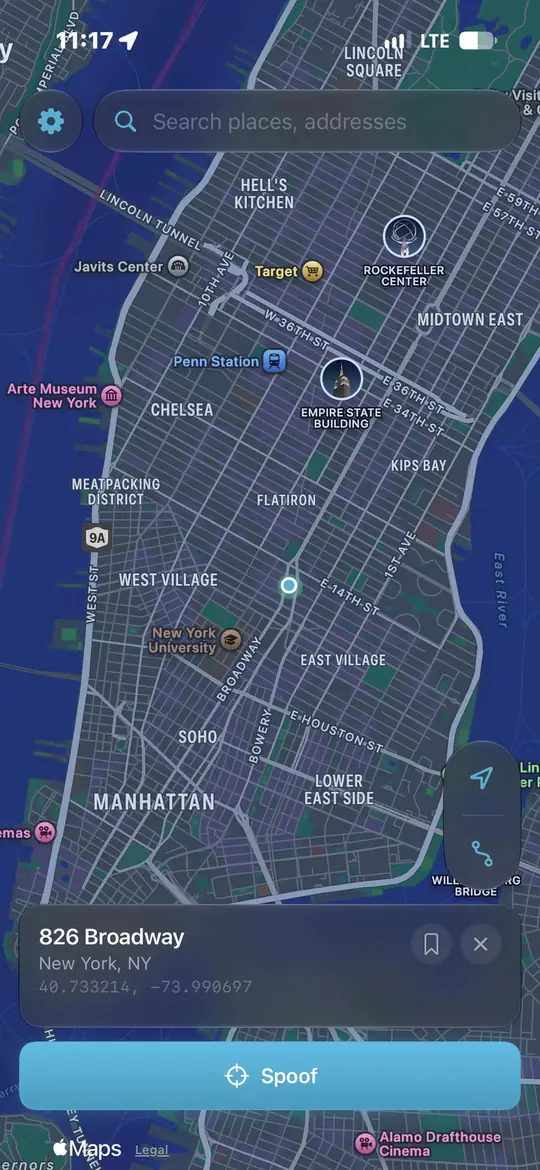
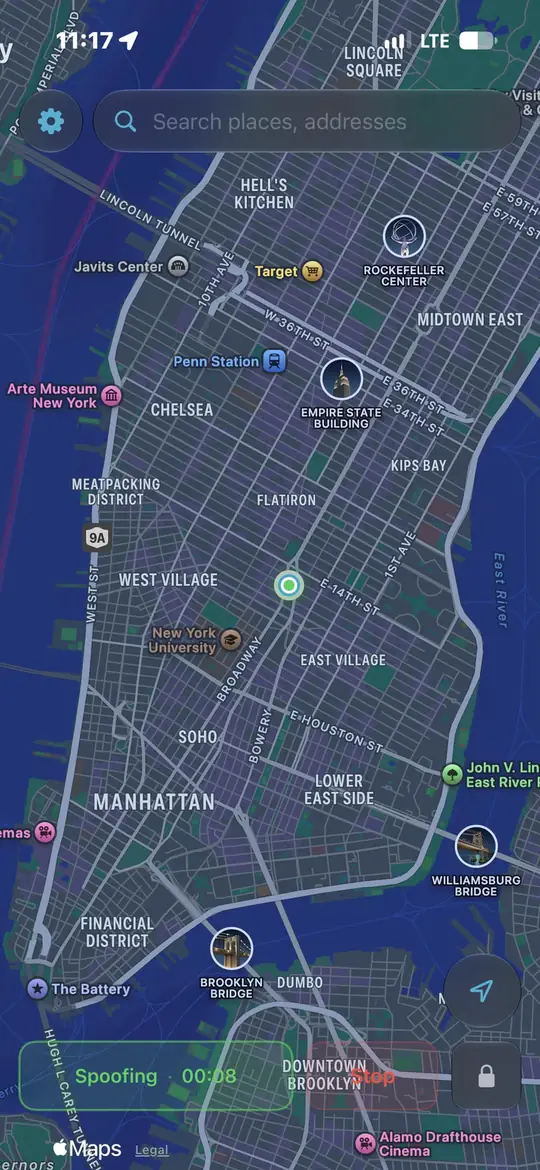











You could be someplace else in a few minutes
Install once from a Mac, PC or Linux box. Then your iPhone does it alone forever.
Features · available on every plan
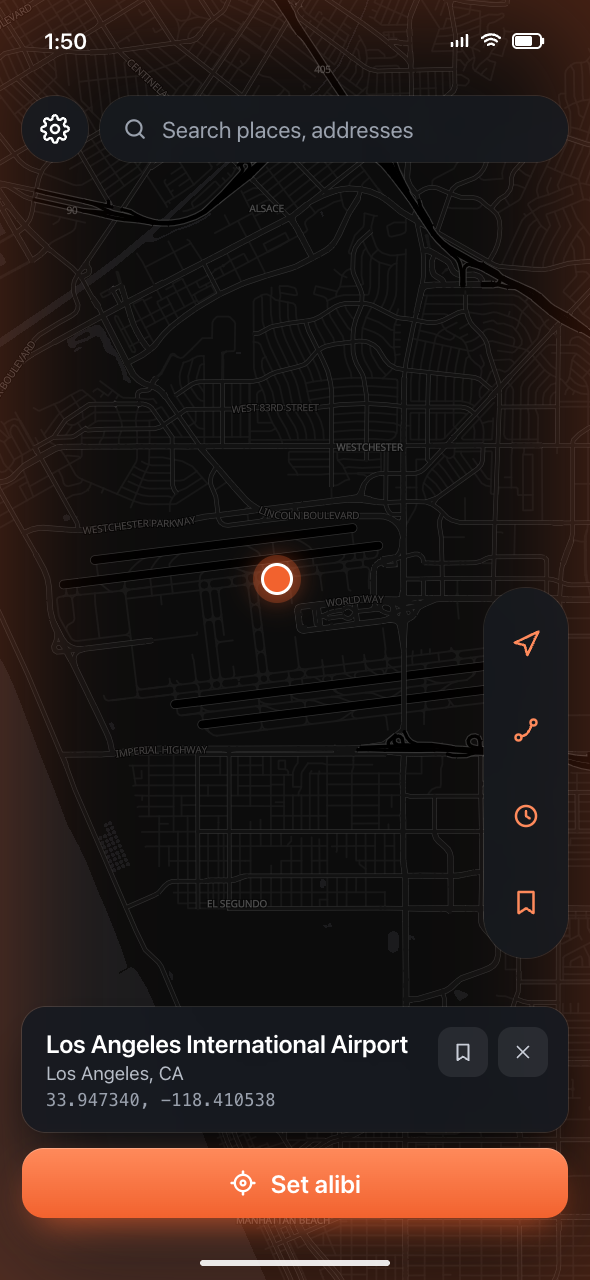
Scheduling Movements
Set a route to run at a time you choose and let it play on its own.
Location History
Quickly access locations you’ve changed to in the past.
Routes
Simulate movement as if you’re walking, biking, or driving.
Bookmarks
Easily access specific locations you use often.
Your iPhone doesn’t change.
Alibi uses the pathway Apple built for developers, and leaves when you tell it to.
No jailbreak, ever
Your iPhone stays completely stock. Alibi never modifies iOS. It uses the developer location pathway Apple already ships.
Nothing leaves your device
The places you pick are never logged, stored, or sent anywhere.
Fully reversible
Stop or reset and your real GPS takes over immediately. Delete the app like any other and nothing is left behind.
Why people switch
No pixels, no analytics, no ad scripts. The page this one is modelled on shipped four. View source if you don’t believe us.
Download, plug in, flip on Developer Mode, drop a pin. No sign-up screen to slow you down.
Mac, Windows and Linux for the desktop app, plus the iPhone app. Same repo, same code, same price: nothing.
From pressing Alibi to the new coordinates being what every app on the phone reads.
One licence for every platform.
Mac, Windows and the iPhone app, on whichever billing period suits you. Every one of these is $0. We just like the layout.
Free · $0
No card, no account.
Or get 3 weeks free with a friend's referral — every licence hands out three.
$34.99 billed yearly
Frequently asked questions
No. Alibi Mobile needs a computer once, to install it. After that you can leave the computer at home.
Not with Alibi Mobile. From a computer you can also start a spoof and lock it, so it holds even after you unplug and walk away.
Apple requires a signed app to install it this way. Your Apple ID goes from your computer straight to Apple to fetch a free developer certificate, and the desktop app signs Alibi Mobile with it locally. Nothing is sent to us, because there is no us. It is all in the source.
Apple only signs an app installed this way for a short window, a week on a free Apple ID, so Alibi Mobile renews itself from inside the app the same way SideStore does. Until that lands, plug in once a week and the desktop app re-signs it.
No.
Yes. Alibi never jailbreaks or modifies iOS. Your iPhone stays completely stock. It sets a location using Apple's own developer pathway, and it's fully reversible.
The only thing added is the Alibi Mobile app itself, which you can delete like any other app. You enable Developer Mode once (Apple's own toggle for developers); nothing else on your phone changes, and stopping or resetting restores your real GPS.
Alibi doesn't touch your Apple ID. But some apps and games detect simulated location and may restrict or penalize accounts.
No. Start the trial without one.
Yes. Every licence can invite three friends, three weeks each. Ask anyone who already has Alibi to send you a referral code, or buy one. Either works the same in the app.
Any iPhone or iPad running iOS/iPadOS 17.4+
Yes. It works at the system level, so every app on your phone sees the spoofed location.
Yes. Alibi runs on both Mac and Windows, and Alibi Mobile installs from either one. Same experience on both.
Yes. When you stop spoofing or reset, your real GPS takes over immediately. If you had a locked spoof, just restart iPhone.
The locations you pick never leave your device. Alibi doesn't log or store your GPS coordinates. It needs no account.
Alibi is signed but not notarized, because notarization needs a paid Apple developer account and there is no company here to pay for one. The first time, right-click Alibi in Applications and choose Open, then Open again. macOS remembers after that.
Yes. It’s free to download and use. Changing your location needs an access code — grab one, or get three weeks free with a friend’s referral.
Alibi Mobile talks to your iPhone’s own developer service, and iOS only lets an app reach it over the network. A tiny loopback VPN from the App Store points that connection back at the phone itself. It never routes your traffic anywhere.
Be somewhere else by the time you close this tab
Install it once from your computer. Then leave the computer behind.